Twitch Shoutout Clips Player
Browser-source overlay that generates shout-outs with a !so @username chat command, clip playback, and can send shout-out messages back into chat.
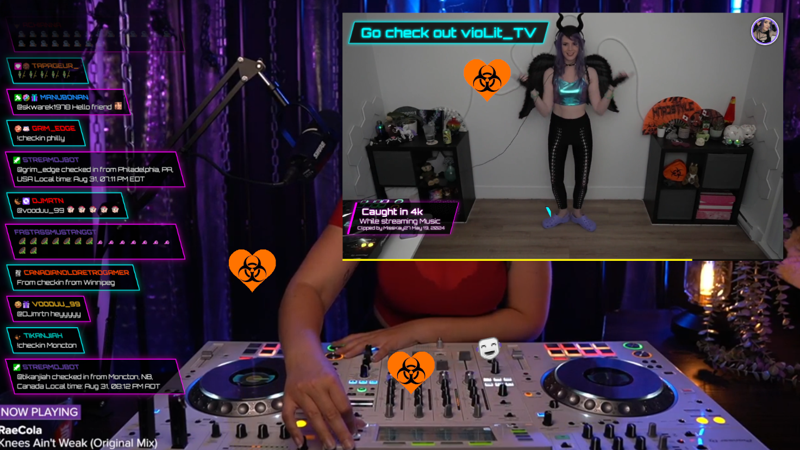
When to Use
- Raids incoming — Automatically triggers a clip and shoutout when someone raids your channel
- Promoting streamers by playing popular clips from their channel
- Let mods control a shoutout using !so @username
- Watch clips that were posted into chat
Clip playback
Plays a random or recent clip from the shouted-out channel, or when someone raids your channel.
Watch Clips
Watch a clip that was posted into chat, !watchclip.
Chat commands
Supports commands such as !so, !replayso, !stopclip, and !watchclip for live stream moderation and control.
Features
- Auto-shoutout on raids, configurable by viewer count
- !watchclip command to play a clip that was posted into chat
- Date-range filtering and prefer-featured clip behavior
- Custom titles, chat messages, and overlay details panel
- CSS theme options and OBS-friendly browser-source settings
Configuration
URL parameters control channel, command trigger, clip filters, raid behavior, theme options, and details panel output.
?channel=mychannel&command=so&showClip=true&showDetails=true&raided=true&raidCount=25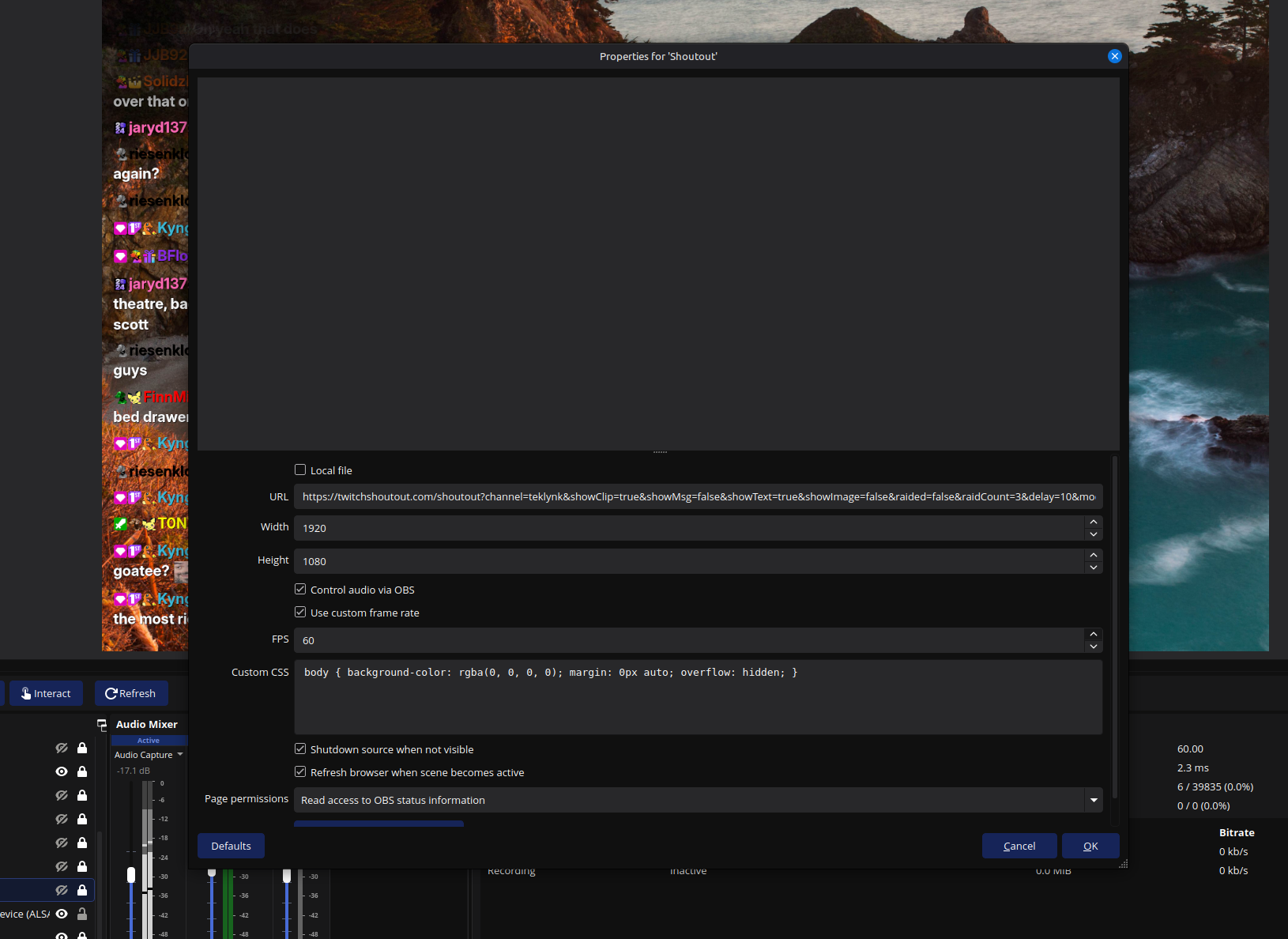
OBS setup
Add a Browser Source in OBS, paste the generated URL, and enable the source refresh and shutdown settings so the overlay only runs when the scene is active.
Twitch OAuth is required if you want the overlay to send a shout-out message back into chat.
Try Twitch Shoutout