Twitch Chat Overlay
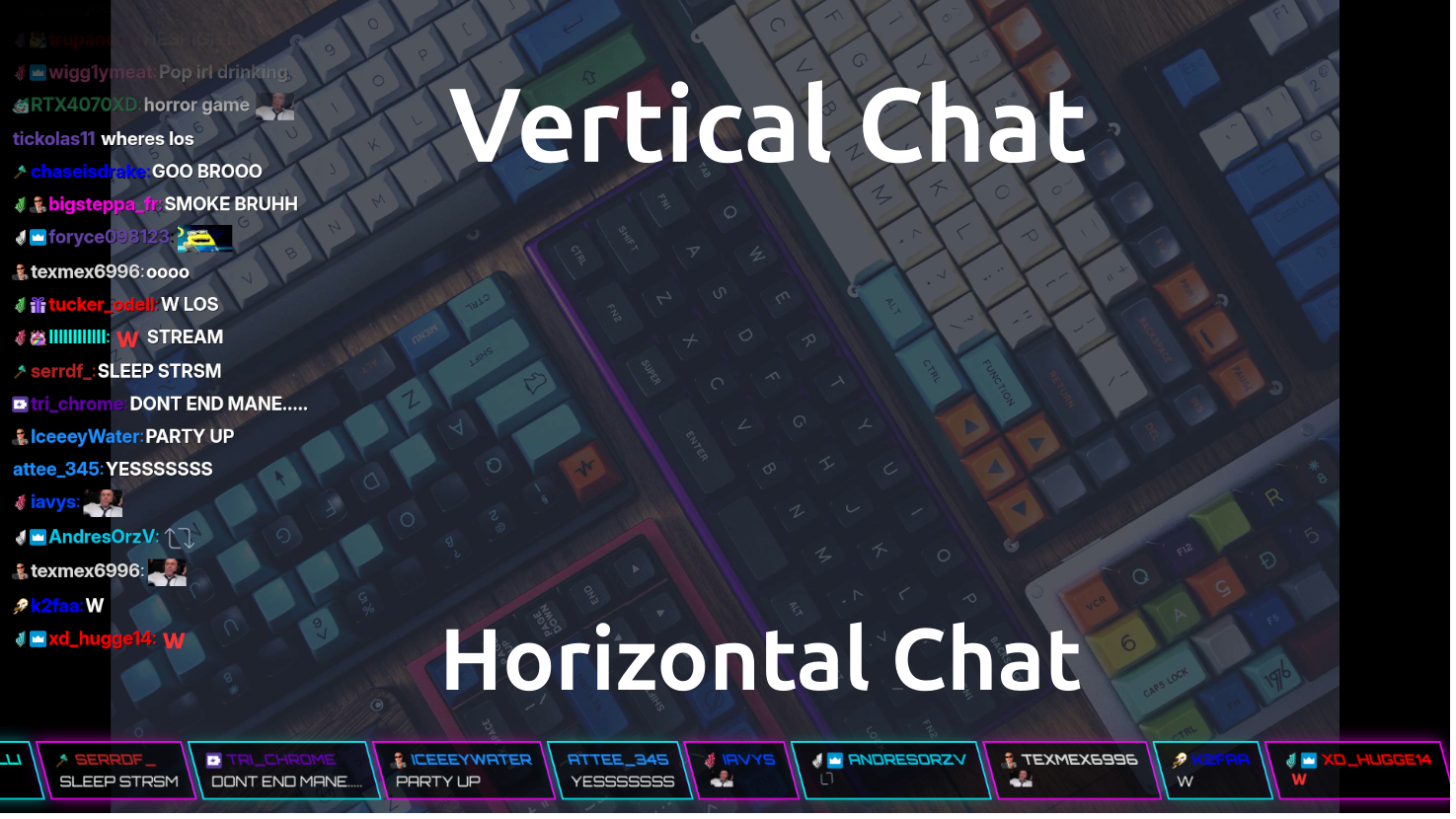
A clean chat overlay that renders live chat in a browser source with multiple themes, badges and emote support.
When to Use
- Make chat visible to everyone watching your VODs
- Third-party emotes — Show BTTV and 7TV emotes in the overlay
- Join multiple channels — Combine chat with other streamers during colab streams
- Limit messages to Mods, VIPs and Subscribers only
- Twitch user name colors — Set to use chatters user color
Multiple themes
Includes several built-in visual styles such as Modern, Cyber Orbitron, Pink, and Twitchy dark mode.
Emote support
Supports Twitch emotes as well as BetterTTV and 7TV emotes.
Performance
Automatically prunes older messages from the DOM to keep the overlay lightweight during long broadcast sessions.
Features
- Multiple stylized themes
- Twitch, BetterTTV, and 7TV emote support
- Lightweight DOM management for long sessions
- Configurable badge, color, and message display behavior
- Easy OBS browser-source setup
Configuration
URL parameters control the channel, theme selection, message lifetime, badge visibility, emote support, and the maximum number of messages displayed.
?channel=yourchannel&themeOption=2&fadeOutTime=60&maxMessages=25&showBadges=true
OBS setup
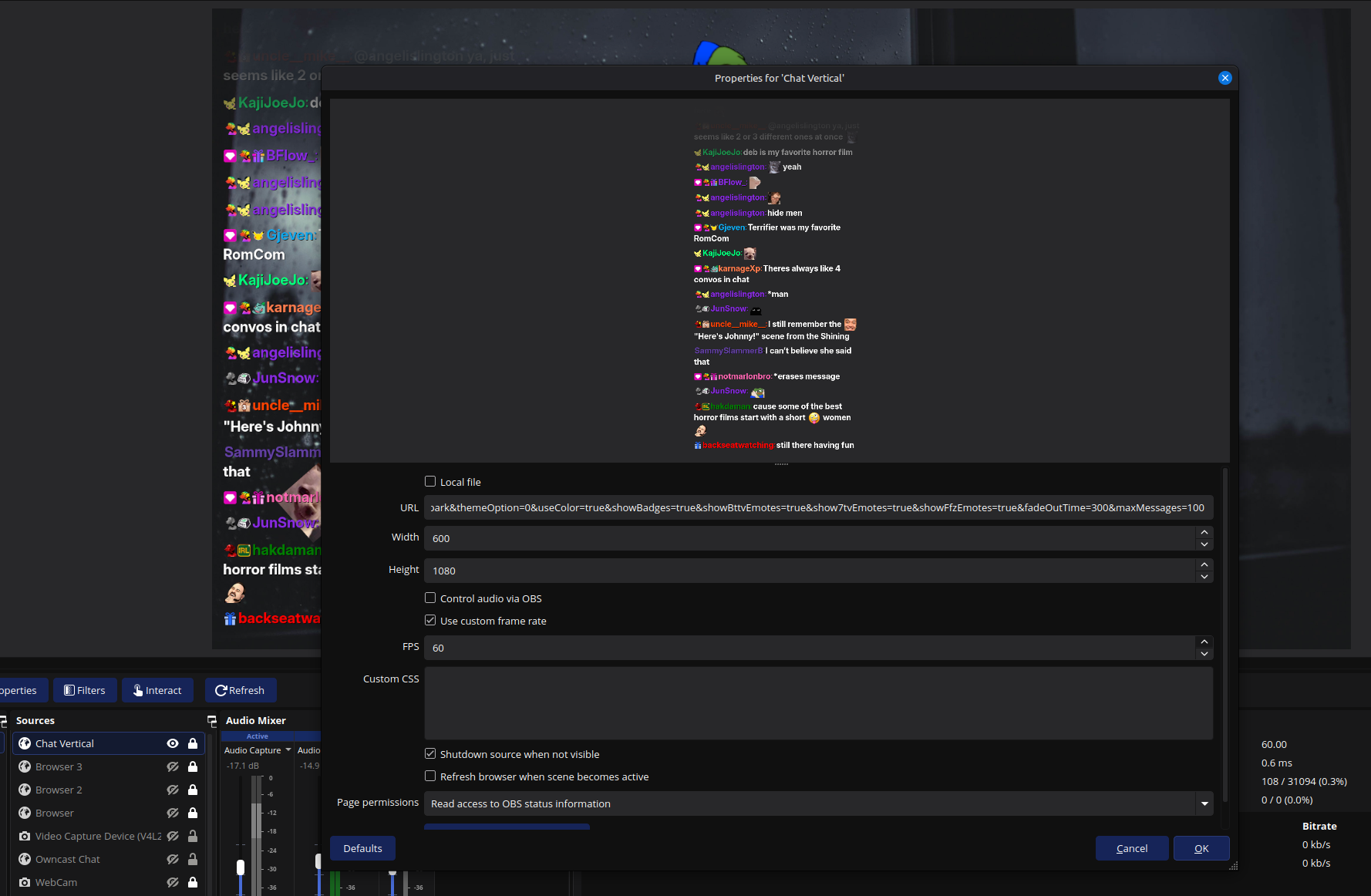
Add a Browser Source in OBS, paste the generated URL, and set the width and height to match your stream layout. The overlay is designed to be lightweight and easy to drop into any scene.
You can adjust the theme and behavior using simple query-string parameters.
Try Twitch Chat Overlay